You order dinner online, choose pickup, and tap through to checkout expecting a bill of about $14. Instead the screen says $16. Surely that is just tax and fees, you think, and you pay.
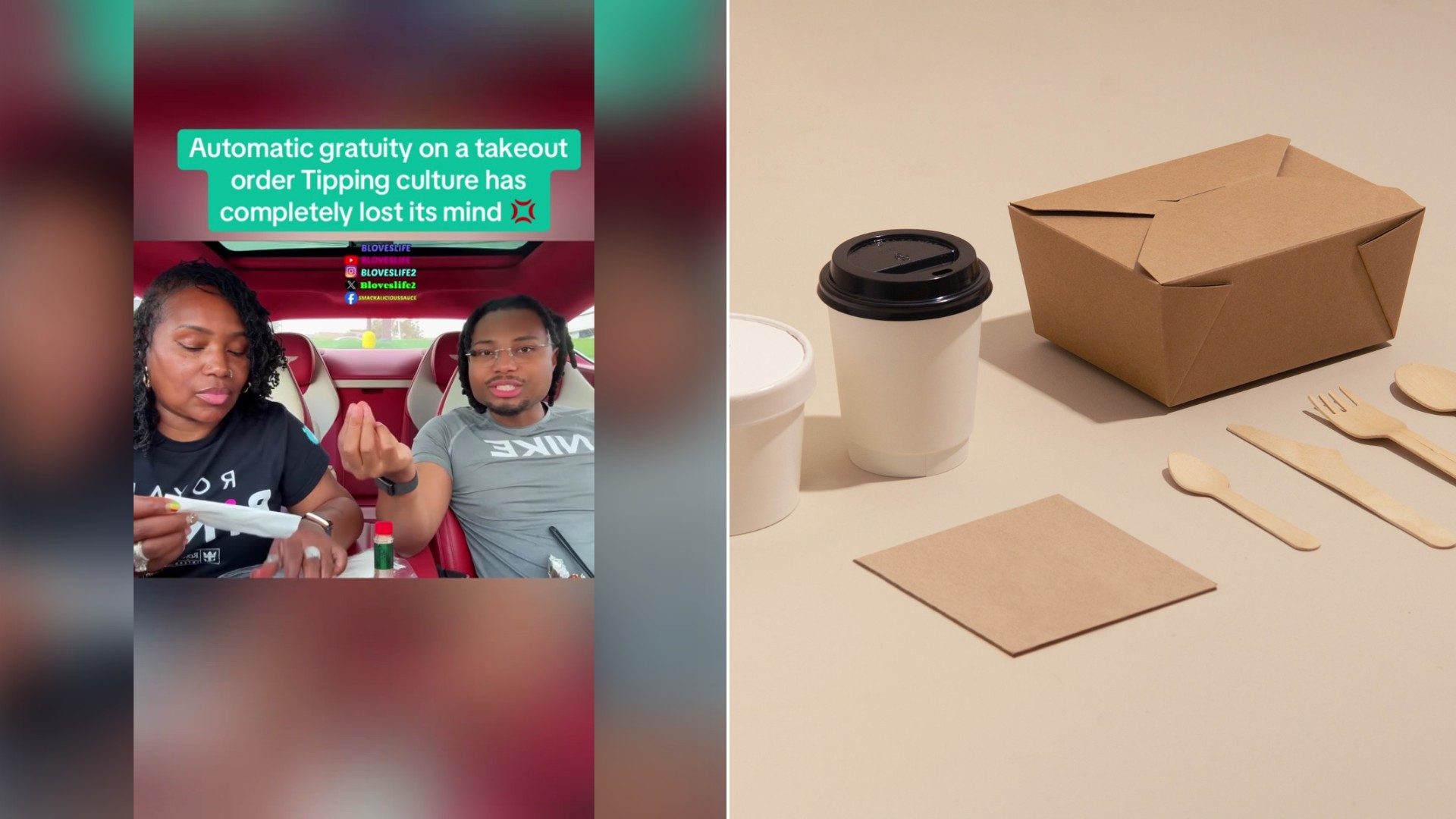
That is what happened, according to a TikTok creator whose handle is @user47144033468164, who placed an Olive Garden order for takeout and found the total higher than expected.
@user47144033468164
“Tipping Culture Has Completely Lost Its Mind,” Says The Customer Who Found A $2.10 Charge On The Receipt
The creator says the order was placed online for pickup, not through an app. At checkout the total read about $16. The creator assumed the extra was the usual couple of dollars for taxes and fees and went right through with Apple Pay.
It was only when the receipt arrived that the real number showed up. There was a $2.10 gratuity on it. The creator says the first reaction was to protest that no tip had ever been given, and then came the realization that it had been added automatically.
Without it, the creator says, the order would have come to about $14.
“It Wasn’t Even Like Choose Your Tip” Because The Percentage Was Already In Place
The creator says nobody asked about it. There was no screen to pick an amount and no prompt at all. The creator figures the charge was tucked down at the bottom of the checkout page where it was easy to miss, and says it was already added at 15%.
The math matches. Fifteen percent of $14 is $2.10, which is exactly what ended up on the receipt.
The creator sums up the experience in the caption, calling it an automatic gratuity on a takeout order and saying tipping culture “has completely lost its mind.”
“What Is A Tip For?” The Question The Takeout Customer Wants Answered
The creator is more bothered by the idea than by the two dollars. Is a tip for the business, for the chef, or for the person who brings food to your table? If you are not sitting down to eat, the creator asks, what is it for?
The creator is clear that the standard tipping rate is 18% for sit-down service. But a pickup order, they say, has no one carrying a plate to a table.
Going back to ask for the money was not an option either. The creator says it would have been silly to drive back for $2. Still, the creator says, “I need my money back.”
The Check Math That Explains Why Takeout Totals Creep Up
Restaurant checks have more moving parts than they used to. A single online order can carry a sales tax line, a service fee, a delivery or handling fee, and a gratuity, each one small enough to shrug off. Add them up and a $14 meal becomes a $16 meal without anyone feeling like they chose it.
That is part of why this creator’s story resonates. Two dollars is not much by itself. But the same two dollars, repeated across thousands of orders, adds up fast for a business, and for a customer who orders takeout every week it adds up too.
It also helps to know the difference between a tip and a service charge. A tip is voluntary and goes to the staff. A service charge is set by the business, and the business decides how to use it. Both can appear on the same receipt, which is why reading the line labels matters.
Small Charges, Big Habit: How To Catch A Surprise Tip Before You Pay
A $2.10 charge will not break a budget. But charges tucked into a checkout total are exactly the kind of thing that gets missed, especially when you are paying with a phone and tapping through fast.
Online ordering has made it easy for fees to blend in. Delivery fees, service fees, packaging fees and gratuities can all show up as separate lines, and a few are added by default.
- Slow down at the last screen of any online order and read every line, not just the total.
- Look for the word gratuity, tip or service charge, and see whether it is a button you can change or a fixed amount.
- Compare the total to your math. If a $14 order shows as $16, find out where the extra $2 is coming from before you pay.
- Save the receipt. It lists each charge, so you can see what you paid after the fact.
- If you spot a charge you did not agree to, call the restaurant or use the contact page on its website and ask them to remove it. Many managers will fix it quickly.
A quick screenshot of the checkout page before you tap pay gives you proof of what the total said at that moment. If the final charge looks different, you have something to show the manager.
The same habit helps anywhere you order food from a screen. Even when the tip is optional, it often sits front and center, and the no tip button can be harder to find than the buttons that add money.
For this creator, the lesson came after the fact: the pickup order that should have cost about $14 cost $16. Whether you think a takeout tip is fair or not, the fix is the same. Read the last screen before you pay, and make sure the tip is one you chose.
More Stories You May Like
- Bride Plans Her Wedding For 18 Months, Buys The Cake Stand, Engraved Utensils And Custom Flowers, Then Walks Into The Reception To Find No Cake Because Of A Mix Up With Paperwork
- Man Orders Every Cocktail On The Red Lobster Menu Until The Manager Stares At His Empty Glasses, Then He Gets Recognized At Drink No. 8 And Is Cut Off
- Husband Wakes His Wife At 4AM And Announces They Are Flying To Costa Rica In 3 Hours, And She Only Forgave Him Eventually After They Landed